
How to Visualize Furniture in Your Room Before Buying
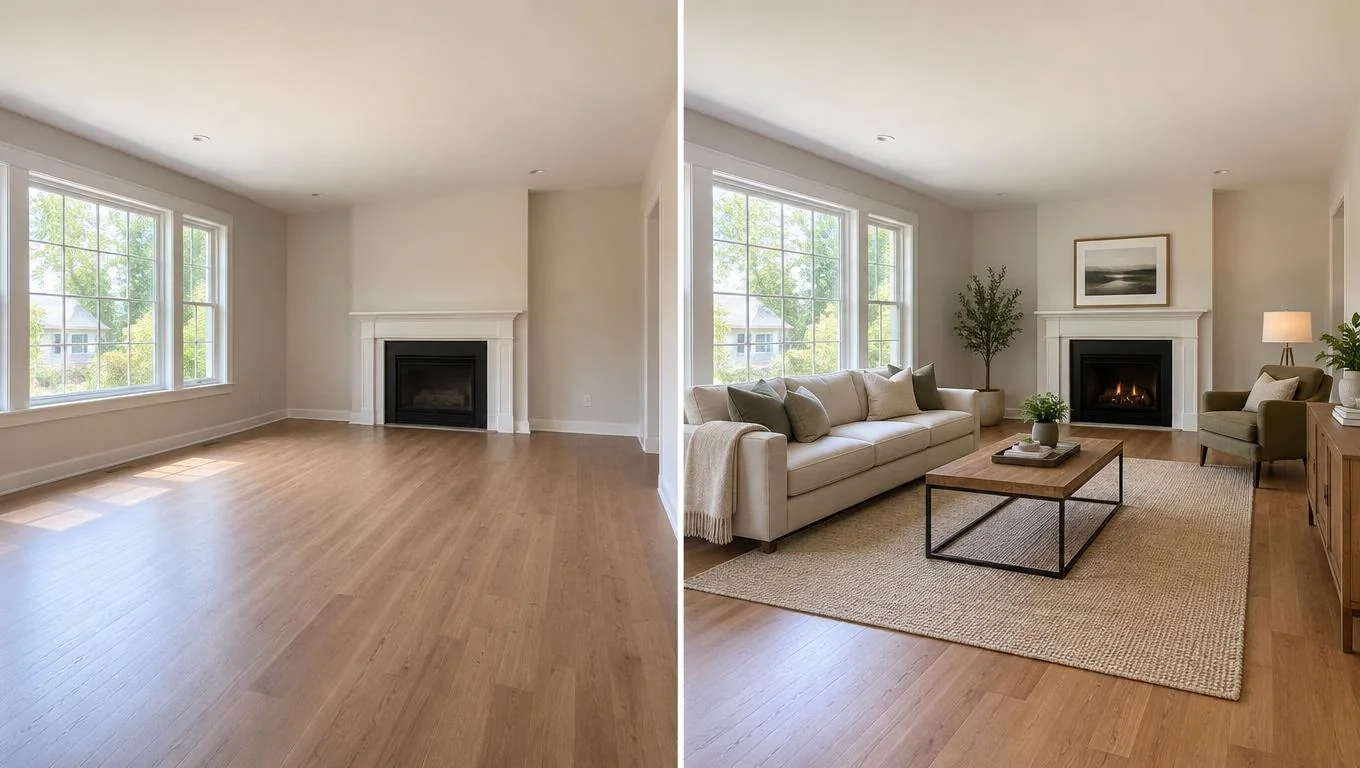
Introduction
The fastest way to see furniture in your room before buying is to take one clear daylight photo of the space, then use a photo-based AI room visualizer to drop realistic furniture into that exact photo in seconds. You keep your real walls, windows, and floor, and you get a livable preview of how a sofa, bed, or dining set actually fits before a single dollar leaves your account.
Guessing from a showroom rarely works. A sofa that looks compact on a warehouse floor can swallow a small living room, and a rug that seemed generous online can look like a bath mat once it lands. In this guide, you'll learn three ways to visualize furniture in a room: tape outlines, AR apps, and photo-based AI. You'll also get a step-by-step method, pro tips, and the mistakes that lead to costly returns.
What You'll Need
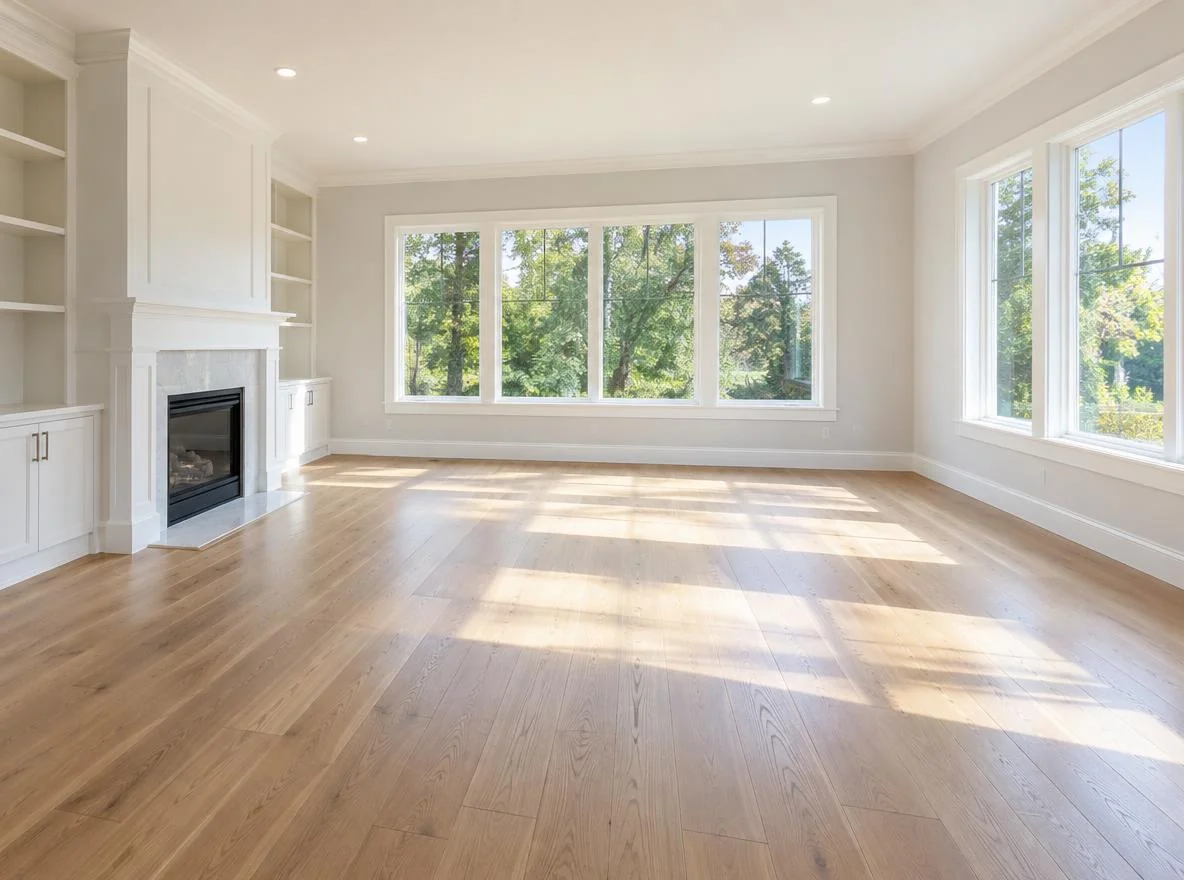
You don't need design software or measuring expertise. Gather these before you start:
- One clear daylight photo of the room, ideally with the space empty or mostly clear so you can see the floor and walls.
- A tape measure to record the room's length, width, and any doorways or windows.
- The dimensions of the furniture you're considering (width x depth x height), usually listed on the product page.
- Painter's tape if you want to try the physical outline method.
- A phone with a camera for AR apps or for uploading to a photo-based tool.
That's it. The photo matters most. A bright, straight-on shot gives any visualization method the best chance of looking realistic.
Step-by-Step Guide
Here's how to preview furniture before buying, from measuring the space to seeing a finished room. Each step builds toward a preview you can actually trust.
Step 1: Measure the room and the furniture
Start with numbers. Measure your room's width and length, and note where windows, doors, radiators, and outlets sit. Then write down the exact dimensions of the piece you're eyeing. Why it matters: most "it doesn't fit" surprises come from skipping this. A 90-inch sofa against an 88-inch wall is a problem you want to catch now, not at delivery.
Step 2: Try the tape-outline method for a quick reality check
Use painter's tape to mark the footprint of the furniture directly on your floor. Walk around it. Can you still reach the window? Does the walkway feel tight? Why it matters: tape shows you real scale and clearance in your actual space with zero apps. The tradeoff is that it's flat. You see the footprint, not the height, color, or how the piece looks against your wall.
Step 3: Test AR apps to place a 3D model in the room
Many retailers offer augmented reality features that let you point your phone at the floor and drop a 3D model of a specific product into view. Why it matters: AR adds height and rough color to the tape-outline idea, so you get a fuller sense of one item. The catch is that AR is best for single products from that retailer's catalog, models can drift or float, and it doesn't help you plan a whole room's worth of mixed pieces at once.
Step 4: Use photo-based AI to furnish the whole room

For whole-room decisions, upload your daylight photo to a photo-based AI room visualizer and let it furnish the empty space in a style you choose. Instead of one product floating in AR, you see a cohesive, photorealistic room with sofa, coffee table, rug, and accents together, rendered into your real photo in about 30 seconds. Why it matters: buying furniture is rarely one item. It's a set of decisions that need to work together. Seeing the full arrangement in your own room is the closest thing to a finished-room preview before you spend. If you want the details on how the technology reads your space, this room visualizer guide breaks it down.
When you're ready to try this on your own space, you can preview furniture in your room with a photo-based room visualizer, no measuring app or design skills required.
Step 5: Compare and decide
Line up your results against the numbers from Step 1. Does the previewed layout leave enough walkway? Does the color suit your light? Save the version you like and use it as a shopping list. Why it matters: a saved preview turns vague browsing into confident, specific choices.
| Method | Best for | Speed | Whole-room? |
|---|---|---|---|
| Tape outline | Footprint & clearance | Fast | Partial |
| AR app | One product, one retailer | Medium | No |
| Photo-based AI | Full furnished preview | ~30 seconds | Yes |
See Your Empty Room Fully Furnished in 30 Seconds
Upload one photo of your empty room and get a realistic furnished preview in the style you choose — before you buy a single piece of furniture.
Free to try • No design skills needed • Works with any room photo
Furnish My Room →Pro Tips for Best Results
Small adjustments make your preview far more accurate and useful.
- Shoot in natural daylight. Open the curtains and turn off overhead lights. Even lighting helps any tool render color and depth realistically, so the previewed sofa matches what you'll actually see at home.
- Stand back and shoot straight-on. Capture two or three walls, including the floor, from chest height. Extreme angles distort scale and make furniture look wrong.
- Clear the clutter first. A tidy or empty room gives the cleanest canvas. This method works well for a new home, a fresh start, or planning before the furniture arrives.
- Test more than one layout. Preview the sofa on two different walls, or try a sectional versus a loveseat. Comparing options is where you avoid regret.
- Match the style to your real space. Choose a preview style that fits your existing floor and light rather than a look that clashes with what's already there.
For a bigger-picture furnishing plan, our empty apartment planning guide pairs well with a room preview.
Common Mistakes to Avoid
A few habits quietly lead to returns and buyer's remorse:
- Trusting showroom scale. Big-box floors dwarf furniture. Always check dimensions against your room, never against the store.
- Ignoring walkways. Aim for roughly 30–36 inches of clear path around major pieces. A preview that looks great but blocks a doorway isn't a win.
- Using a dark or crooked photo. Poor input produces a preview you can't trust. Reshoot in daylight if the first try looks off.
- Buying everything at once. Preview the room as a set, but confirm the anchor piece (sofa or bed) first, then build around it.
- Expecting a preview to change your walls or floor. Photo-based visualization adds movable furniture and decor. It shows how pieces fit your existing space, not a remodel.
Final Thoughts
You don't have to gamble on a big purchase and hope it fits. Measure first, check clearance with tape, then use a photo-based tool to visualize furniture in your room. That gives you a realistic, whole-room preview and the fastest way to shop with confidence. Tape and AR each have their place, but a photorealistic preview of your actual space is what turns hesitation into a clear plan.
Take one bright, straight-on photo of your empty room, try a furnished preview in the style you like, and compare a couple of layouts before you commit. When you're ready to see your space furnished, the CTA below handles the next step.
Frequently Asked Questions
How can I see furniture in my room before buying it?
Take a clear daylight photo of the room and upload it to a photo-based AI room visualizer, which adds realistic furniture to your actual space in about 30 seconds. You can also use tape outlines for footprint or AR apps for single products, but photo-based tools are fastest for whole-room decisions.
Do AR furniture apps work well?
AR apps are useful for previewing a single product from one retailer's catalog, adding rough height and color to the space. They're less helpful when you need to plan a whole room of mixed pieces, and models can drift or float depending on your phone and lighting.
What photo works best for visualizing furniture?
A bright, straight-on shot taken in natural daylight, showing the floor and two or three walls from about chest height. Avoid dark rooms and steep angles, since both distort scale and make the previewed furniture look unrealistic.
Can a room visualizer change my walls or flooring?
No. Photo-based visualization adds movable furniture and decor to your existing room. It shows how pieces fit your current walls, windows, and floor. It does not repaint, re-floor, or remodel the space.
Will previewing furniture help me avoid returns?
It reduces the guesswork that causes most returns. By checking dimensions against your room and seeing a realistic layout before ordering, you catch scale and clearance problems early and make more confident buying decisions.


