
What Is a Furniture Visualizer? Types, Limits, and How to Use One on an Empty Room
Introduction
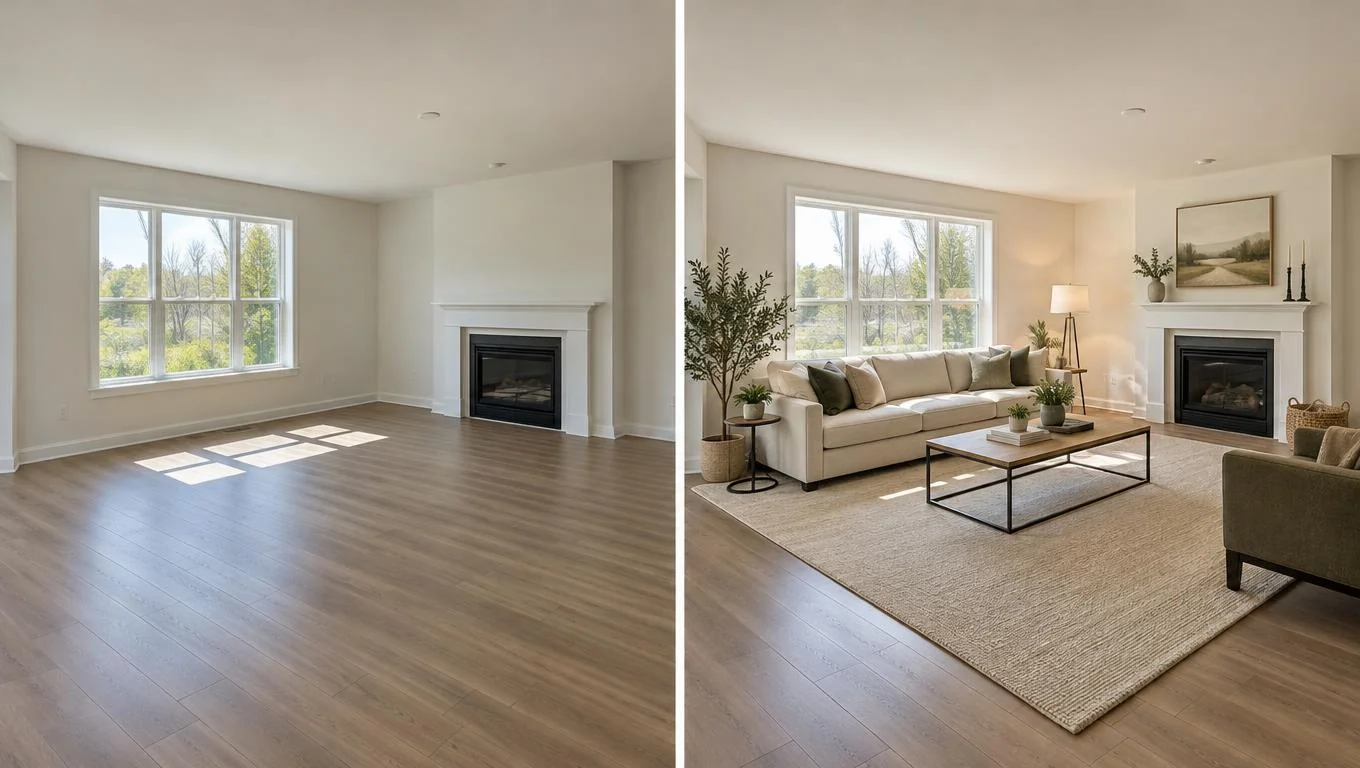
A furniture visualizer is any tool that shows you what furniture will look like in a real room before you buy it. Some do this by placing a single product through your phone camera, some rebuild your room as a 3D model, and some take a photo of your empty room and return a fully furnished version in seconds. They all answer the same nervous question: will this actually look right in my space?
If you keep running into the term "furniture visualizer" while shopping and you are not sure which kind shows furniture in your own room, this guide sorts it out. We will define what a furniture visualization tool does, break down the three main types, and be honest about what each one can and cannot do. By the end you will know which tool fits whether you are staring at a bare apartment, planning one purchase, or trying to furnish a whole room from scratch.
This is a tool explainer, not a shopping checklist. The goal is clarity: pick the right type of furniture visualizer for the decision in front of you, and skip the ones that solve a different problem.
Key Takeaways
- A furniture visualizer previews furniture in a space so you can judge fit, scale, and style before spending money.
- There are three main types: retailer AR apps (one product at a time), 3D room planners (rebuild the room to scale), and photo-based AI (upload your empty room, get it furnished).
- Photo-based AI tools return concept images, not measured drawings. They are fast and realistic for style and layout feel, but you still verify exact dimensions with a tape measure.
- Match the tool to the job: AR for a single sofa, a 3D planner for exact clearances, photo-based AI to see a whole empty room furnished quickly.
- Empty rooms are the ideal starting point for photo-based tools, perfect for a new home, a first apartment, or planning before the furniture arrives.
What Is a Furniture Visualizer?
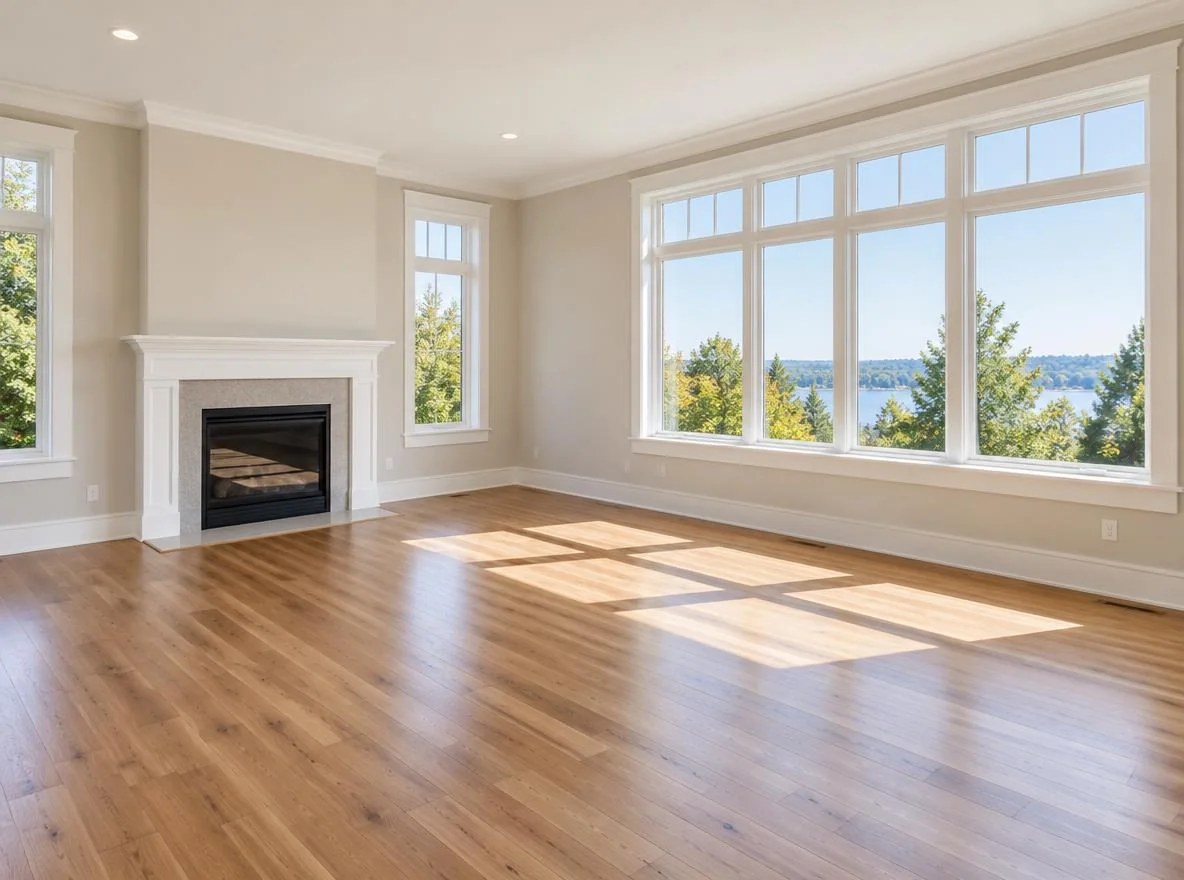
A furniture visualizer is a digital tool that lets you see furniture inside a room, ideally your actual room, before you commit to buying anything. Instead of guessing whether a sectional fits your living room or whether a walnut dresser clashes with your floor, you get a visual preview you can react to.
The core promise is simple: reduce the gap between "this looked great online" and "this looks wrong in person." Furniture is expensive, bulky, and annoying to return. A good furniture visualization tool helps you catch scale and style mismatches while they are still just pixels.
Under the hood, different tools take very different approaches. A retailer's app might use augmented reality (AR) to drop one 3D model of their sofa into your camera view. A dedicated room planner asks you to recreate your floor plan and then arrange furniture icons to scale. A photo-based AI tool takes a single picture of your empty room and generates a realistic furnished version, picking cohesive pieces and arranging them for you.
None of these is "the" furniture visualizer. They are three answers to the same question, built for different moments. The trick is knowing which moment you are in: previewing one purchase, planning a precise layout, or seeing a bare room come to life all at once. Industry research consistently shows that a large share of online furniture returns trace back to size and fit surprises, which is exactly what these tools exist to prevent. Treat the preview as a decision aid, not a guarantee.
Why a Furniture Visualizer Matters
Buying furniture blind is one of the most expensive guessing games in home setup. A sofa that is six inches too deep swallows a small living room. A bed that looks modest online can block a closet door in a real bedroom. By the time the box arrives and you unwrap it, your options are keep it, live with it, or wrestle it back into the packaging for a return.
A furniture visualizer shifts that decision earlier, to a moment when changing your mind costs nothing. You can test a layout, swap a style, or shrink a piece before a single dollar leaves your account. That is the difference between confident furniture decisions and a garage full of regret.
The stakes are highest in two situations. First, when the room is empty and you are starting from zero: a new home, a fresh start, or planning before the furniture arrives. Second, when you are buying one anchor piece that everything else will revolve around, like a sofa or a dining table. In both cases, seeing the result first turns an anxious purchase into a clear plan. The practical payoff is fewer costly mistakes, less return hassle, and a room you actually want to live in.
How to Get Started: The Three Types of Furniture Visualizer

There is no single "best" furniture visualization tool, only the right one for your situation. Here is how the three main types compare, followed by how to pick and use each.
| Tool type | How it works | Best for | Main limit |
|---|---|---|---|
| Retailer AR apps | Drops one 3D product into your live camera view | Previewing a single item from that store | One product at a time; locked to one brand's catalog |
| 3D room planners | You rebuild the room to scale and arrange furniture icons | Exact clearances and precise layouts | Time-consuming; looks like a diagram, not a photo |
| Photo-based AI | Upload a photo of your empty room; AI returns it furnished | Seeing a whole empty room furnished fast | Concept images, not measured drawings |
Retailer AR apps
Many large furniture brands offer an app that uses your phone's camera to place a single product, a chair, a lamp, a sofa, into the room in front of you. You move your phone, and the item stays anchored to the floor. This is great for answering "does this specific piece fit here?" The catch: you see one item at a time, and only items from that one retailer. You cannot mix brands or furnish a whole room in one view.
3D room planners
These tools ask you to recreate your room: enter wall lengths, mark windows and doors, then drag furniture blocks around a to-scale floor plan. The payoff is precision. You can confirm there is a 30-inch walkway or that the bed clears the closet. The cost is effort. Building the model takes time, and the output looks like a technical diagram rather than a finished room. If you want exact measurements, this is your tool. If you want to feel the room, it falls short.
Photo-based AI tools
This is the newest category and the fastest. You upload one photo of your empty room, choose a style, and the tool generates a realistic furnished version with sofa, rug, lighting, and decor arranged for you. There is no model to build and no catalog to browse. It is ideal when the room is bare and you want to see possibilities quickly. If you want to understand the mechanics in more depth, this breakdown of how a room visualizer works walks through the upload-to-result flow step by step.
The honest limit: photo-based AI returns concept images, not measured drawings. The furnished result shows style, proportion, and layout feel beautifully, but it is not a scaled blueprint. You still confirm exact dimensions with a tape measure before ordering. For the common job of seeing furniture in your own space before buying, a dedicated room visualizer built around your photo gets you from empty to furnished in about the time it takes to make coffee, then you verify the numbers separately.
See Your Empty Room Fully Furnished in 30 Seconds
Upload one photo of your empty room and get a realistic furnished preview in the style you choose — before you buy a single piece of furniture.
Free to try • No design skills needed • Works with any room photo
Furnish My Room →Best Practices for Using a Furniture Visualizer
Whichever type you choose, a few habits make the preview far more useful and far more accurate.
- Start with a clean, well-lit photo. For photo-based AI, shoot your empty room in daylight, stand in a doorway or corner, and keep the camera level. A straight, bright photo gives the tool more to work with and returns a more realistic result.
- Clear the room first. Photo-based tools work best on empty spaces, perfect for a new home or planning before the furniture arrives. Boxes, clutter, or existing furniture confuse the result.
- Preview the big anchor piece before the small stuff. Decide the sofa, bed, or dining table first; everything else arranges around it. Visualize that one decision clearly before layering in decor.
- Use the right tool for the question. Need exact clearances? Use a 3D planner. Checking one branded sofa? Use that store's AR. Want to see a bare room furnished and styled quickly? Use photo-based AI.
- Always confirm dimensions with a tape measure. No visualizer replaces measuring your room and the product's listed size. The preview sells you on style and layout; the tape measure confirms the fit.
- Try more than one style. Generating two or three versions is cheap and fast. Seeing the same room warm-and-cozy versus clean-and-minimal often settles a decision you have been stuck on for weeks.
If you want a full buying routine built around these previews, not just the tool mechanics, this walkthrough on how to visualize furniture before buying turns the preview into a purchase plan you can act on.
Common Mistakes to Avoid
Even the best furniture visualization tool can mislead you if you lean on it the wrong way. Watch for these.
- Treating a concept image as a measured plan. Photo-based AI shows you a realistic look, not an engineering drawing. Do not order a sectional because it "looked like it fit" in the preview; check the measurements.
- Expecting the tool to redesign an already-furnished, cluttered room. Photo-based visualizers work from empty or near-empty spaces. Trying to overhaul a packed room gives muddy results.
- Using a single-brand AR app to plan a whole room. AR is for checking one product. If you try to furnish everything through one retailer's app, you lock yourself into one catalog and lose the ability to compare the room as a whole.
- Skipping style variations. People often accept the first result. Generating a couple of alternatives almost always reveals a better fit for how you actually live.
- Forgetting the room's real constraints. A visualizer does not know where your radiator, outlets, or oddly placed door are. Keep those in mind when you judge the preview against reality.
See Your Empty Room Fully Furnished in 30 Seconds
Upload one photo of your empty room and get a realistic furnished preview in the style you choose — before you buy a single piece of furniture.
Free to try • No design skills needed • Works with any room photo
Furnish My Room →Final Thoughts
A furniture visualizer is really three different tools wearing one name. Retailer AR apps check a single branded product, 3D room planners give you exact clearances in exchange for setup time, and photo-based AI turns a picture of your empty room into a realistic furnished preview in seconds. The right choice depends on the decision in front of you: one purchase, a precise layout, or a whole bare room you want to see come alive.
Keep the honest limit in mind. Photo-based tools return concept images, not measured drawings, so the tape measure still has the final word. Used that way, a furniture visualizer saves you from costly guesses and gives you a clear plan before you spend.
If your room is sitting empty right now, start there. Take one clear daylight photo of the space, try a furnished preview, and let the CTA below handle the next step.
Frequently Asked Questions
What is a furniture visualizer?
A furniture visualizer is a tool that shows what furniture will look like in a real room before you buy it. Depending on the type, it either places one product through your camera, rebuilds your room as a scaled 3D model, or takes a photo of your empty room and returns a furnished version.
Which furniture visualization tool shows furniture in my own room?
Retailer AR apps and photo-based AI tools both work with your actual room. AR places one product through your live camera, while a photo-based tool furnishes an uploaded picture of your empty space. 3D planners use a model you build yourself rather than a real photo.
Are photo-based furniture visualizer results accurate for measurements?
No. Photo-based AI returns concept images that show style, scale, and layout feel, not measured drawings. They are excellent for deciding how a room should look, but you should always confirm exact dimensions with a tape measure and the product's listed size before ordering.
Do I need an empty room to use a photo-based furniture visualizer?
An empty or near-empty room gives the best results. These tools are built for a new home, a first apartment, or planning before the furniture arrives. Cluttered or already-furnished rooms produce muddier previews because the tool has less clean space to work with.
Is a furniture visualizer free to use?
Many are free to try. Retailer AR apps are typically free, basic 3D planners often have free tiers, and photo-based AI tools frequently offer a free first preview. Pricing varies by tool and how many images or styles you want to generate.


