
How to Virtually Stage a Room for Free: Step-by-Step 2026 Guide
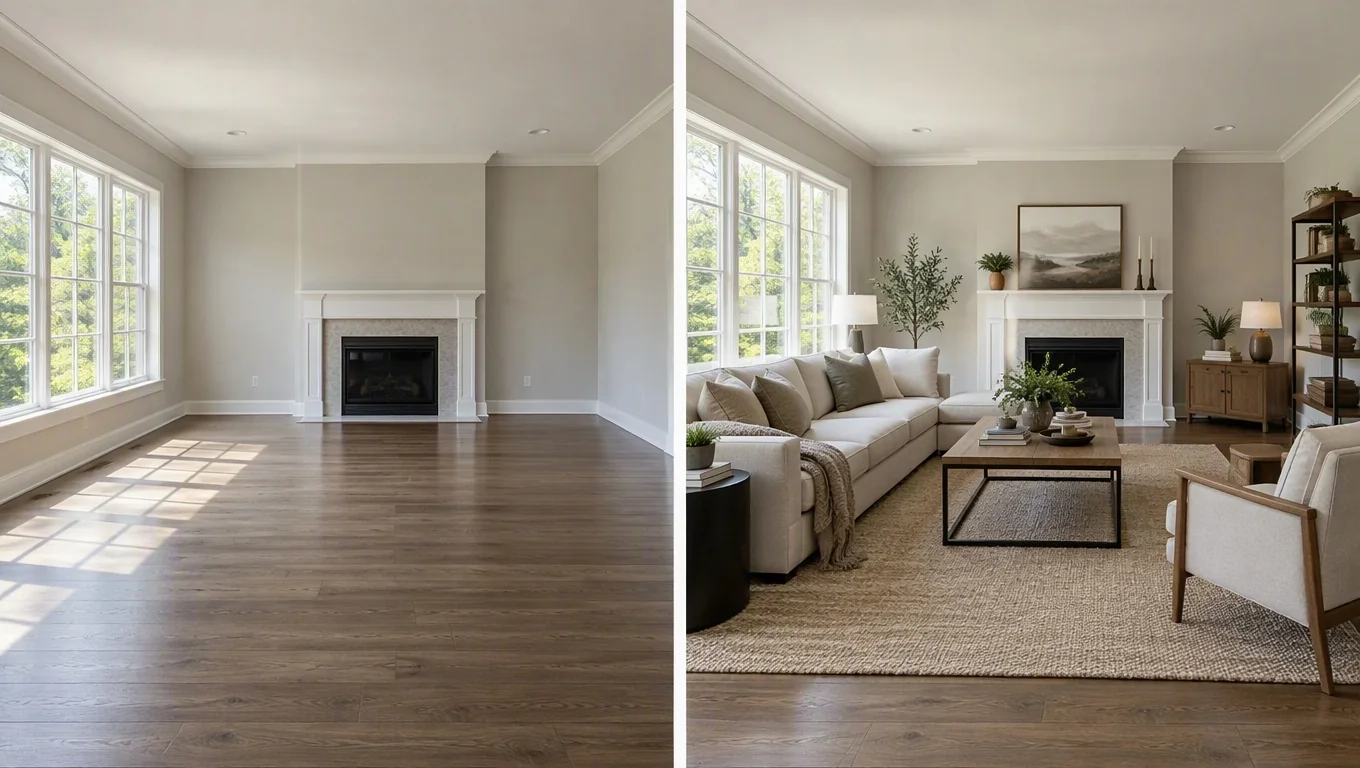
You can virtually stage a room for free by uploading one clear photo of your empty space, choosing a furniture style, and letting an AI tool generate a realistic furnished version in about 30 seconds. No designer, no physical furniture, no design software. Just a photo and a few clicks.
This guide walks you through the exact steps to stage a room online, whether you just moved into a new home, are settling into a first apartment, or want to preview furniture before you buy it. You'll also learn what to prepare, the common mistakes that ruin results, and what a good furnished preview should actually look like.
What You'll Need
Free virtual staging works best when you start with the right inputs. Here's your short prep list:
- One clear daylight photo of the empty room. Natural light gives the AI accurate colors and shadows, which makes the furnished result look believable instead of flat.
- A room that's actually empty (or nearly so). These tools add movable furniture and decor to empty spaces. They aren't built to redesign a room that's already full.
- A rough idea of your style. Modern, Scandinavian, mid-century, cozy. Knowing your direction saves time when you pick options.
- A phone or laptop. No special hardware needed. Most tools run in your browser.
That's it. If you can take a photo and click a button, you can stage a room online today.
Step-by-Step Guide
Follow these five steps to virtually stage a room free and get a furnished preview you can actually use for planning.
Step 1: Take a clean photo of the empty room
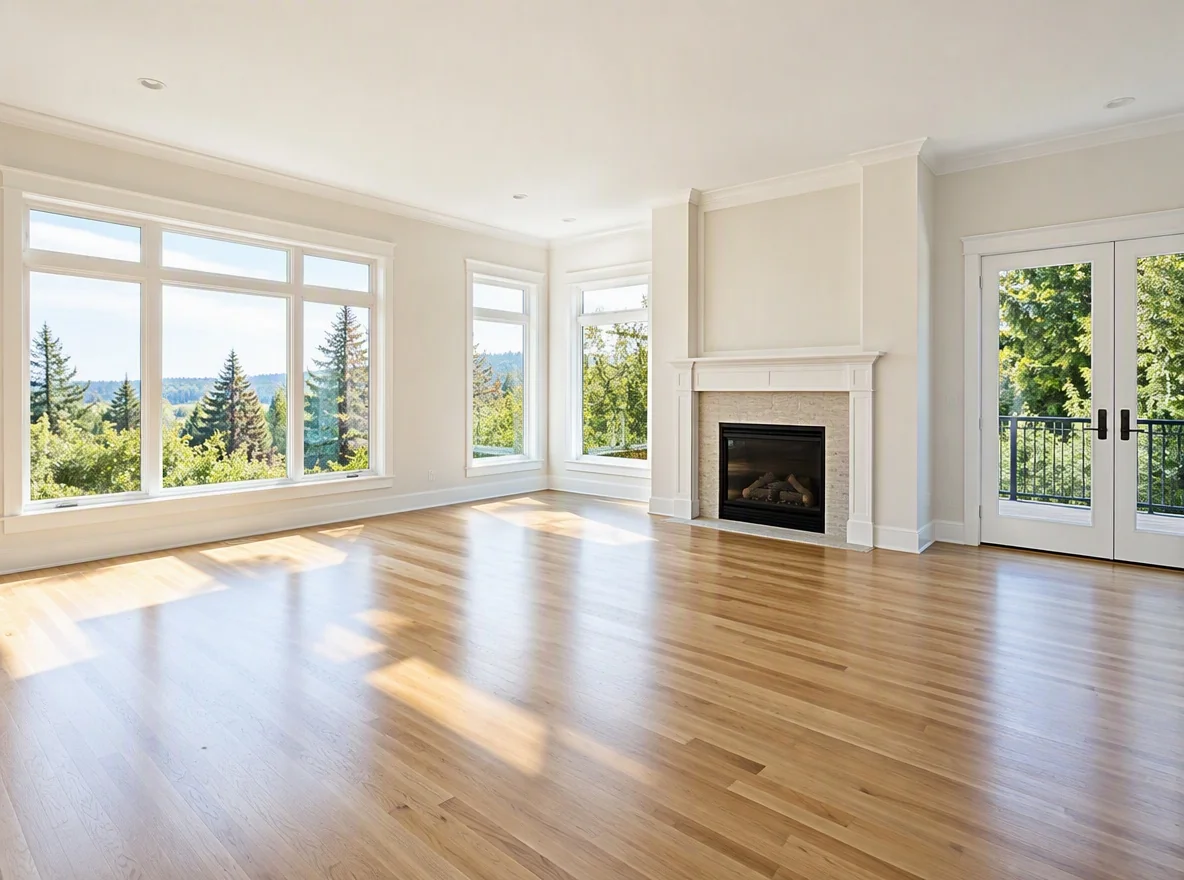
Stand in a corner or doorway so you capture two or three walls and most of the floor. Shoot in daylight with the blinds open, and keep the camera level so walls stay straight. Why it matters: the AI uses your floor space, window placement, and light direction to place furniture realistically. A crooked or dim photo forces the tool to guess, and guesses look off.
Avoid ultra-wide angles that bend the walls. A normal phone photo held horizontally works better than a fisheye shot that distorts proportions.
Step 2: Upload the photo to a free virtual staging tool
Open the tool and upload your empty room image. Most free options accept standard JPG or PNG files straight from your phone. If you want to try this on a photo of your own room right now, you can use a free virtual staging tool that turns an empty space into a furnished preview without design skills. Why it matters: uploading a real photo, instead of a generic template, means the furnished result reflects your actual walls, windows, and dimensions, so your planning decisions are grounded in reality.
Step 3: Pick a room type and furniture style
Tell the tool what the room is (living room, bedroom, dining room) and choose a style. Common choices include modern, Scandinavian, minimalist, mid-century, and cozy traditional. Why it matters: the room type controls which furniture gets placed. You get a sofa and coffee table for a living room, a bed and nightstands for a bedroom, while the style sets the color palette and materials. Matching both to your real plans keeps the preview useful rather than decorative.
If you're unsure, start with one neutral style like Scandinavian. It photographs cleanly and helps you judge scale before you experiment with bolder looks.
Step 4: Generate the furnished preview
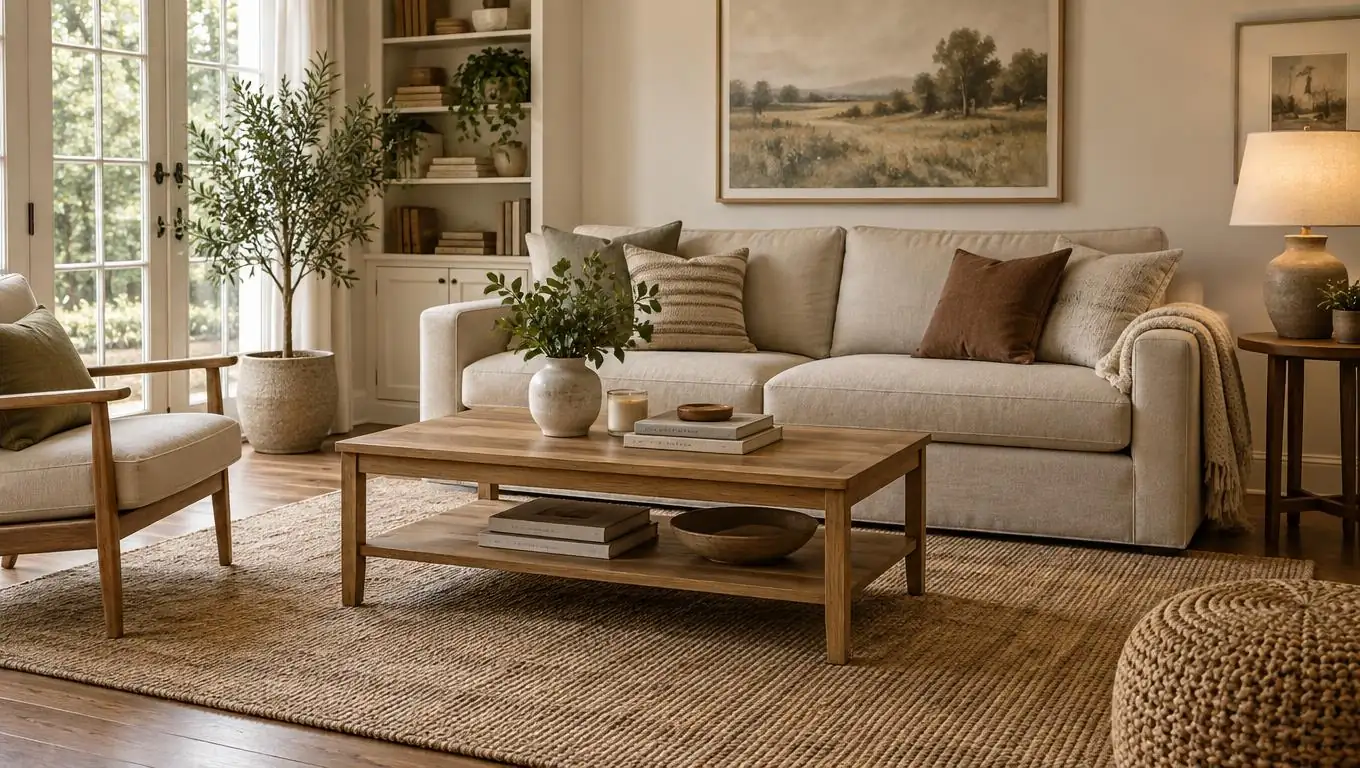
Click generate and wait. Most AI room design tools return a furnished version in roughly 30 seconds. You'll see your empty room transformed with a full furniture layout: seating, tables, rugs, lighting, and soft decor, arranged to fit the space. Why it matters: this is the payoff. Instead of imagining whether a sectional fits, you see a proportioned arrangement in your actual room, which is far more reliable than measuring in your head.
Step 5: Review, regenerate, and save your favorites
Look at the result critically. Does the furniture scale match the room? Is the walkway clear? Do you like the palette? If something feels off, regenerate with a different style or room type. Free tools usually let you try multiple versions. Why it matters: comparing two or three options side by side is how you land on a layout you actually want to buy toward, instead of settling for the first draft. Save the versions you like so you can reference them while shopping.
See Your Empty Room Fully Furnished in 30 Seconds
Upload one photo of your empty room and get a realistic furnished preview in the style you choose — before you buy a single piece of furniture.
Free to try • No design skills needed • Works with any room photo
Furnish My Room →Pro Tips for Best Results
Small adjustments make a big difference in how realistic and useful your furnished preview looks.
- Shoot at eye level or slightly lower. Photos taken too high make floors look larger and throw off furniture scale.
- Clear the room first. Boxes, ladders, or leftover items confuse the layout. An empty canvas gives the cleanest result.
- Turn on the lights and open curtains. Balanced, natural light helps the AI render accurate shadows so furniture sits believably on the floor.
- Try more than one style. Generating a modern and a cozy version of the same room quickly shows which direction fits your space and taste.
- Use it as a shopping guide. Note the sofa proportions, rug size, and layout that looked right, then match real products to those dimensions. Many people find this prevents costly returns.
Think of the preview as a plan, not a finished purchase order. It shows you what works so you spend with confidence instead of guessing at the store.
Common Mistakes to Avoid
A few habits quietly wreck otherwise good results. Here's what to watch for:
- Using a dark or blurry photo. Poor lighting forces the tool to guess at depth, and the furniture ends up looking pasted in. Reshoot in daylight instead.
- Expecting it to remodel the room. Virtual staging adds movable furniture and decor. It doesn't repaint walls, swap flooring, or change cabinets. Keep your expectations on furnishing, not renovation.
- Staging a cluttered space. If the room is already full, the tool has nowhere to work. These previews are made for empty rooms, first apartments, and pre-move planning.
- Picking a style you don't actually live in. A dramatic look may photograph well but won't help if it doesn't match how you use the room.
- Settling for the first version. The best layout often shows up on the second or third try. Regenerate before you commit.
Related guide: For a more focused next step, read What Is Virtual Staging? A Plain-English Guide for Homeowners and connect this advice to your wider room design plan.
Final Thoughts
Learning how to virtually stage a room for free comes down to one clear daylight photo, the right room type and style, and a few quick generations to compare. By previewing the furnished layout before you shop, you avoid guesswork, skip the cost of physical staging, and make furniture decisions you actually feel good about.
Whether you just moved in, are furnishing a first rental, or are planning a big purchase, free virtual staging turns an empty space into a concrete plan in seconds. Take one photo of your empty room, try a furnished preview, and let the CTA below handle the next step.
See Your Empty Room Fully Furnished in 30 Seconds
Upload one photo of your empty room and get a realistic furnished preview in the style you choose — before you buy a single piece of furniture.
Free to try • No design skills needed • Works with any room photo
Furnish My Room →Frequently Asked Questions
Can I really virtually stage a room for free?
Yes. Free virtual staging tools let you upload a photo of your empty room, pick a furniture style, and generate a realistic furnished preview in about 30 seconds — no designer or paid software required. You can try multiple styles to compare layouts before you buy anything.
What kind of photo do I need to stage a room online?
Use one clear, level photo of the empty room taken in daylight, capturing two or three walls and most of the floor. Avoid dark, blurry, or ultra-wide shots that distort the walls, since accurate lighting and proportions help the AI place furniture realistically.
Does virtual staging change walls, flooring, or cabinets?
No. Virtual staging adds movable furniture and decor to a photo of an empty room. It does not repaint walls, replace flooring, or change cabinets and built-in fixtures. It's designed for furnishing and layout planning, not renovation or remodeling.
How long does it take to get a furnished result?
Most AI room design tools return a furnished preview in roughly 30 seconds after you upload your photo and choose a style. You can regenerate with different styles or room types in seconds to compare options side by side.
Is virtual staging useful if I'm not selling the home?
Absolutely. It's especially helpful when you just moved in, are furnishing a first apartment or rental, or are planning a furniture purchase. Previewing a realistic layout in your actual room helps you buy the right pieces with confidence and avoid costly returns.


